Getting Around the Focal Point Discord
Discord can be a lot when you first land in it. There are dozens of channels, notifications going off in places you didn't know existed, and conversations that have clearly been running for a while. Plenty of people join, get excited, take one look at the sidebar and quietly back away. This is a walkthrough of how the Focal Point server is set up, what each channel is for, and how to trim it down to the parts you actually care about, so you can skip that stage and get to the good part, which is talking photography with people.
If you're not in the server yet, you can join here.
When you first join
Discord walks you through a few onboarding questions when you join. Your answers decide which roles you get, and your roles decide which channels you can see and which announcements ping you. If you're here for Photoclass or 52 Weeks, say so during onboarding and the right channels will show up on their own.
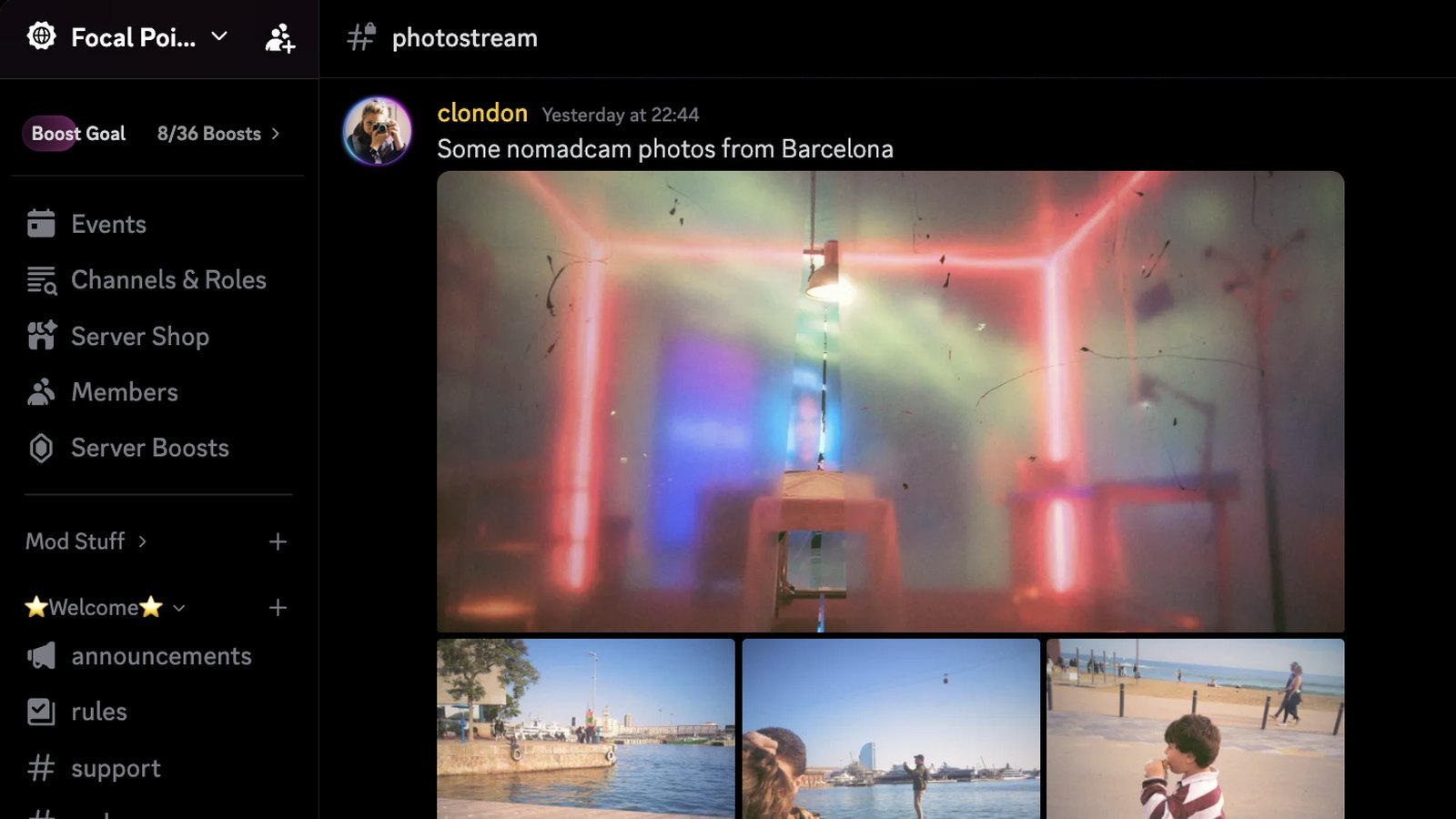
If you skipped something or change your mind later, you can go back through the questions any time from Channels & Roles at the top of the sidebar.
Start here
The Welcome section is where everyone starts.
- #announcements
- News that affects the whole server, like new cohorts, NomadCam updates and changes to how things work. Only I post here, so it stays quiet.
- #rules
- How we treat each other here. Give it a read before you post.
- #welcome
- Where new members show up when they join.
- #introductions
- Say hi. Tell us where you are and what you like to shoot, and share a photo or two if you want.
- #donate
- Links to the ways you can support Focal Point. Everything here is free, and donations help keep it that way.
Calls, workshops and AMAs
Live events happen in the voice channels under Events. Every event is listed in the Events tab at the top of the sidebar along with the channel it's being hosted in, and you can mark yourself as interested to get a reminder when it starts.
Community
This is the main part of the server, and it's open to everyone.
- #showcase
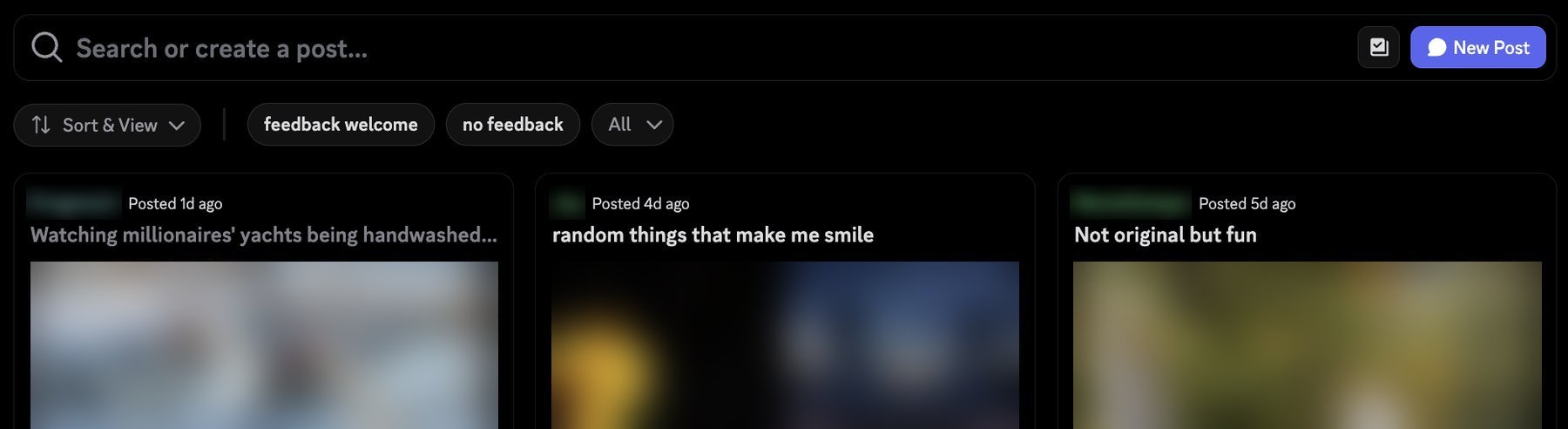
- A gallery channel where every post gets its own thread. Share a set of photos, tag it "feedback welcome" or "no feedback," and people can comment on that post specifically.
- #photostream
- A running stream of photos and chat. This is the place for a quick share when you don't want to make a whole post.
- #edit-my-raw
- Post a RAW file for other people to have a go at editing, or share your own edit and ask for help with it.
- #meetups
- Organize photowalks and in-person meetups with members near you.
- #vengabus
- A running photo game. Post a photo that has something in common with the one before it. It doesn't need to be new, so your archive counts.
- #resources
- Photography resources worth passing around, like articles, tools, videos and tutorials.
- #inspiration
- Photographers, books, exhibitions and anything else that's inspiring you right now.
- #lounge
- General chat, about photography or anything else.
- #quizz-bot
- A quiz channel, just for fun.
- #print-sales
- Put your prints up for sale to other members.
- #nomadcam
- For people taking part in NomadCam, our traveling camera project. You get access once you've signed up.
Photoclass
You'll see this section once you have the Photoclass role.
- #class-announcement
- Unit releases and cohort news. I'm the only one who posts here, and it pings everyone with the Photoclass role.
- #2027-class-assignments
- Where you post your assignment photos for each unit. It's a forum channel, so you start your own post for each unit, title it with the unit and your name, and pick the matching unit tag.
- #ask-mentors
- Questions for the mentors, answered by the mentors.
- #photoclass-lounge
- Anything goes, for everyone taking Photoclass.
- #photoclass-gear
- Gear questions that come up during the course.
- #julycohort-class-assignments
- Assignments from the July 2026 cohort. It's staying up, and it's worth scrolling through to see how other people approached each unit.
52 Weeks
You'll see this section once you have the 52 Weeks role.
- #52-announcements
- New prompts each month and anything else to do with the challenge.
- #52-submission
- Post your photo for each prompt here.
- #52weeks-lounge
- Chat about the challenge, the prompts and what everyone's shooting.
If you post your 52 Weeks or Photoclass photos on Instagram too, add @focal.point.co as a collaborator.
Photography General
Below that is a channel for just about every genre and part of the process, from gear talk, post-production and printing to architecture, astro, birding, black and white, landscape, macro, portrait, sports, docu-street-urban, video, wildlife and more. They're all open to everyone. Join the ones you shoot, and the ones you'd like to shoot more of.
Making the sidebar manageable
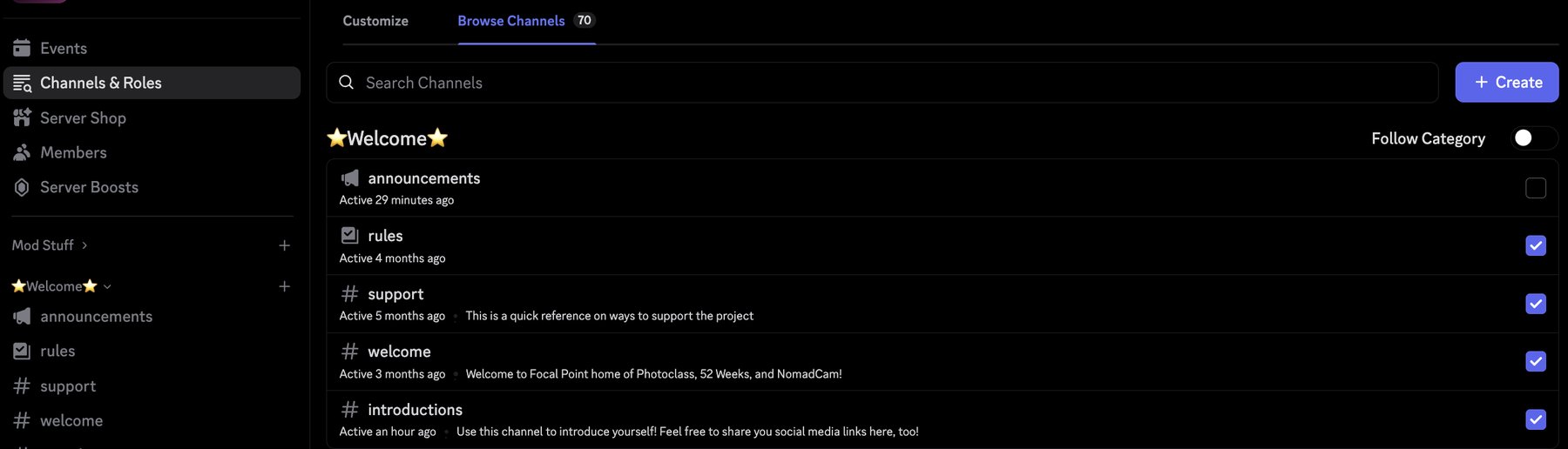
The number of channels is the part that overwhelms most people, and it's an easy fix. You can choose which channels show up in your sidebar:
- Click Channels & Roles at the top of the left sidebar.
- Select Browse Channels.
- Go through the list and check the channels you want to see. Uncheck the rest.
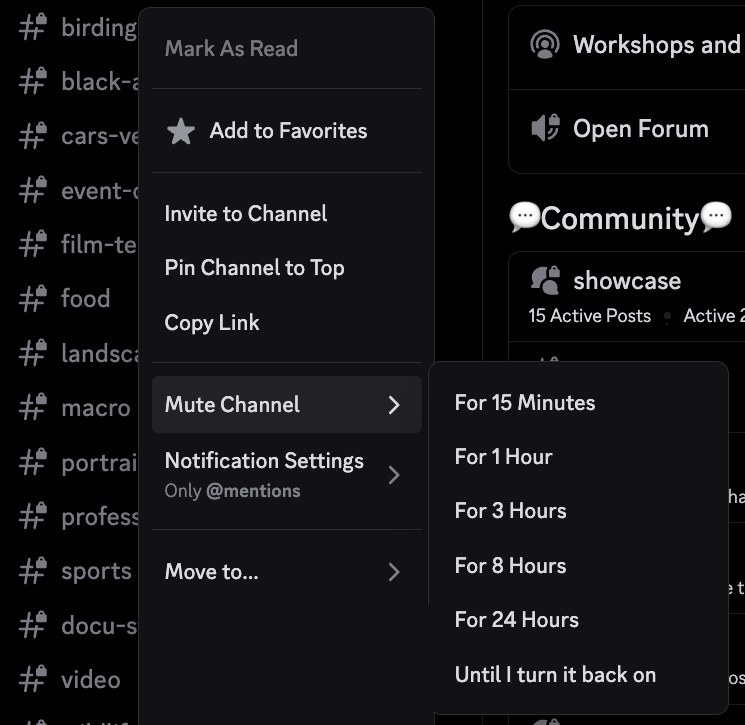
If you want to keep a channel but don't want the constant unread dot, right-click it and choose Mute Channel. It stays in your sidebar, and you won't get any indication of new messages there.
You can also change notifications channel by channel, or for the whole server. For one channel, right-click it and go to Notification Settings. For the whole server, click the small arrow next to the server name at the top of the sidebar and go to Notification Settings from there.
What we recommend keeping
At the very least, keep these switched on:
- #announcements
- #lounge
- #meetups
- #showcase
- The voice channels under Events
If you're taking Photoclass, add:
- #class-announcement
- #2027-class-assignments
- #photoclass-lounge
- #ask-mentors
If you're doing 52 Weeks, add:
- #52-announcements
- #52-submission
- #52weeks-lounge
Then add any other channels that catch your interest.
Posting in a forum channel
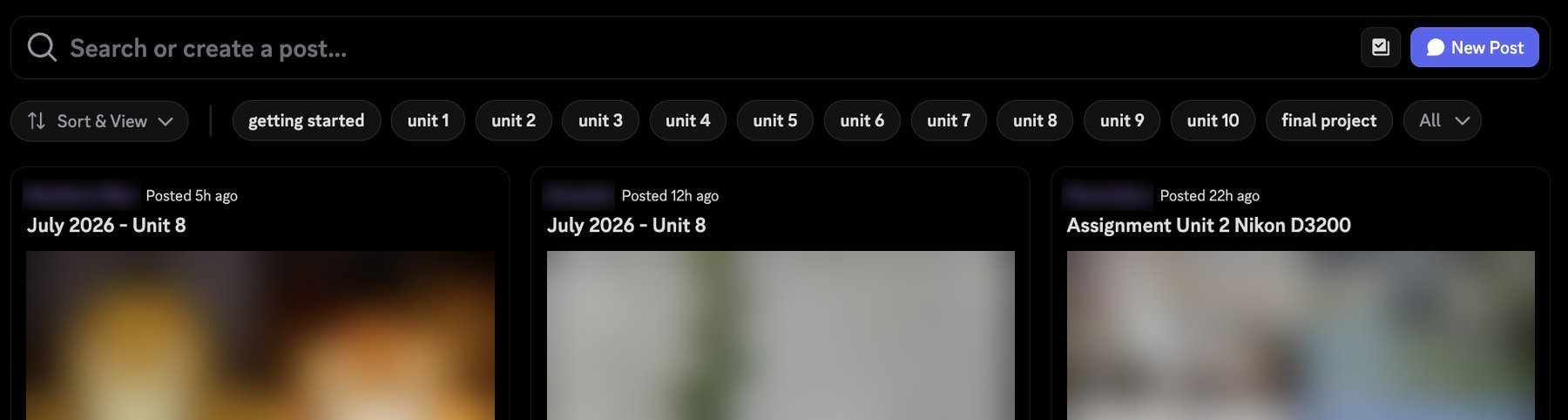
Some channels, like #showcase, #2027-class-assignments and #52-submission, are forum channels. They work a little differently from regular chat, which trips a lot of people up at first. Each post is its own thread with its own replies, so to share something you start a new post:
- Open the channel and click New Post at the top right.
- Give your post a title.
- Add your photos and anything you want to say about them.
- Pick a tag if the channel has them, like the unit tag in the assignments channel or "feedback welcome" in showcase.
- Post it.
To reply to someone else's post, click into it and comment there.
Once you've trimmed things down, say hi in #introductions, drop something in #photostream, and jump into a conversation. Everyone here was new once, and most of us still remember how much that first look at the sidebar felt like.
FAQ
I only see a few channels. Where is everything?
What you see at first depends on how you answered the onboarding questions. Open Channels & Roles, go to Browse Channels and check anything else you want. Every channel on the server is free and open to everyone.
I signed up for Photoclass or 52 Weeks, but I can't see those channels.
You probably didn't pick it during onboarding. Open Channels & Roles, go to Customize and update your answers. The channels show up as soon as you have the role.
Do I need to be on Discord to do Photoclass or 52 Weeks?
No, you can do both without it. We do recommend joining, though. It's where the workshops, AMAs and feedback happen, and where you'll get to know the other people doing it with you.
Are workshops and AMAs recorded?
It depends on the host. When an event is recorded, it goes up on our YouTube channel.
Can I share photos that aren't for an assignment or prompt?
Yes, please do. Use #showcase for a set you'd like feedback on, #photostream for a quick share, or any of the channels under Photography General.
How do I get into #nomadcam?
That channel is only for people taking part in NomadCam. You get access once you've signed up.
How does this work on my phone?
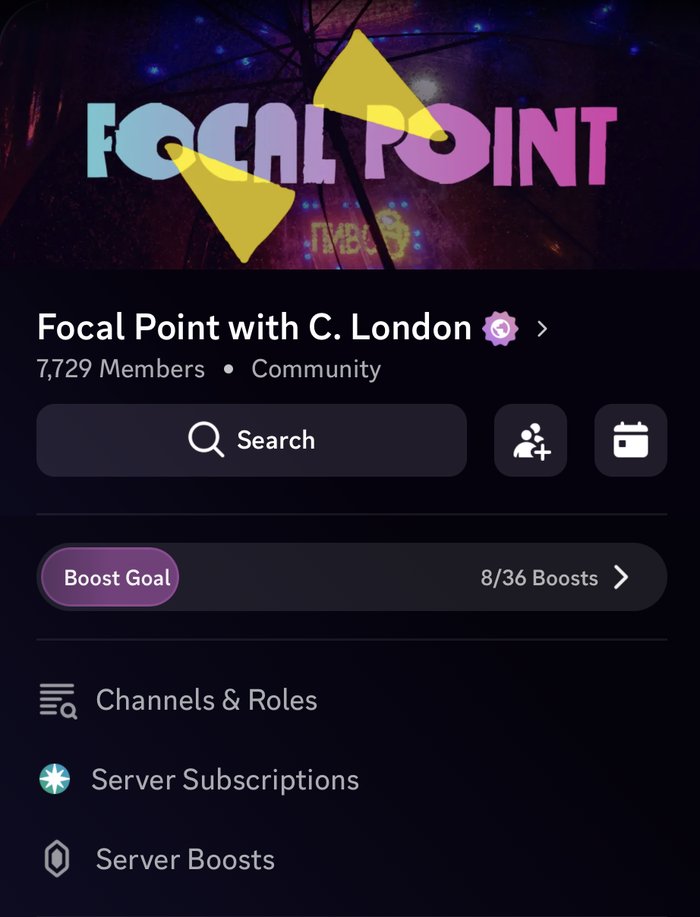
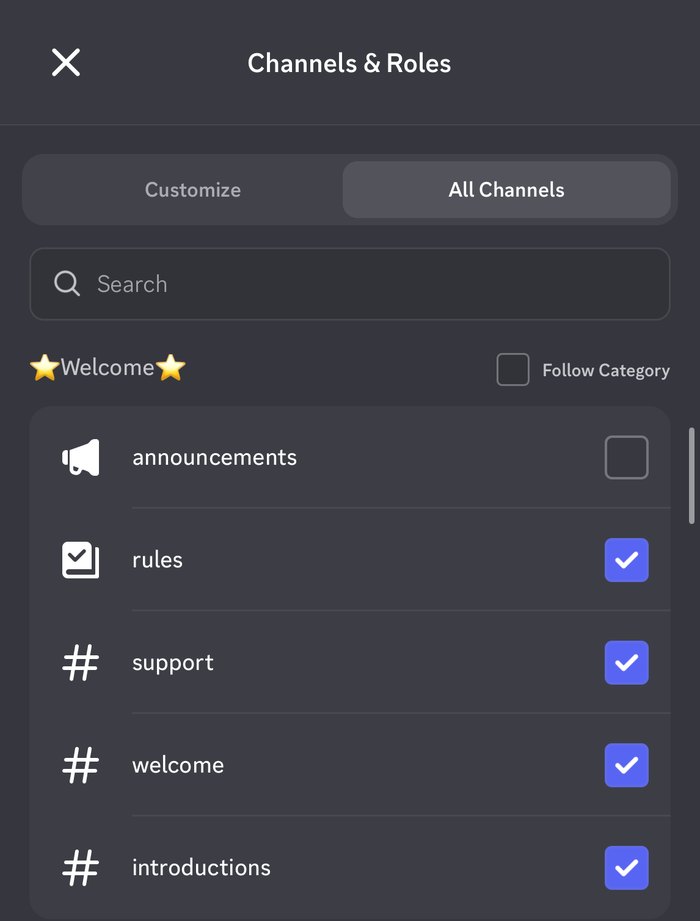
Open the server and you'll find Channels & Roles at the top of the channel list. On mobile, Browse Channels is called All Channels, but everything else works the same way.
Something isn't working, or someone is breaking the rules. Who do I tell?
Tag @moderator right there in the channel and one of us will take a look.